
The Mercury News
MediaNews Group, Inc.News & Magazines
2.1283.00 Reviews
- Version
- 10.0.60
- Installs
- 50.00K
- Age Rating
- Everyone
Screenshots



Our Review of The Mercury News
 Analysis by Appyee
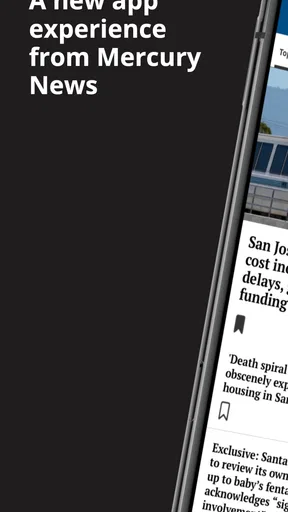
I approached The Mercury News as a reader who wants local reporting but also checks national subjects such as technology, business, sports, lifestyle, and entertainment. It is a free news and magazines app from MediaNews Group, Inc., with an Everyone content rating and support for Android devices running version 8.0 or later. The central idea is straightforward: bring Mercury News coverage into a phone-friendly reading space instead of making me depend entirely on a mobile browser.
That simplicity is both its appeal and its limitation. I can open it when I want a quick look at current stories, scan sections, and decide which articles deserve a closer read. At the same time, the experience feels more useful for people already interested in The Mercury News than for someone searching for a broad, highly customizable news dashboard. My overall impression is that it works best as a companion to the publication, not as a complete replacement for every other source I use.
How The Mercury News feels in its current form
The app sits in the News & Magazines category, and its content range is wider than a purely local headline feed. The mix of news, technology, sports, business, lifestyle, and entertainment gives me several reasons to return during the day. I might begin with a local story, move to a technology piece, and then check sports without switching between separate apps.
That breadth is useful, but it also means the first screen can feel less focused than a dedicated section app. If my only goal is to see one narrow subject, I need to spend a little time identifying the relevant area rather than expecting the app to understand my priorities automatically. I see this as a normal trade-off for a publication with multiple editorial desks: more variety, but potentially more scanning.
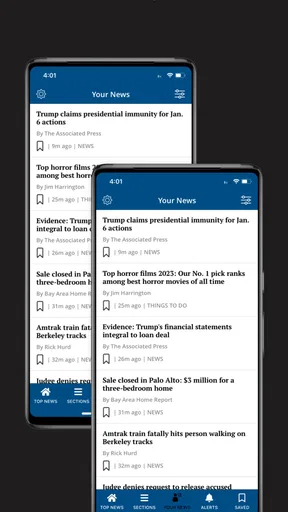
In everyday use, I would open it during a commute, over breakfast, or while waiting for an appointment. The practical workflow is to scan headlines first, open only the stories that match my interests, and avoid treating the home feed as a complete summary of the day. That habit matters because a news app is most valuable when it helps me choose what to read, rather than encouraging endless scrolling.
The app is free to install, which makes trying it low-risk. Its store presence shows over 50 thousand installs, so it has a meaningful audience without being one of the enormous general-purpose news platforms. The average rating is 2.1 from 485 ratings, with 283 written reviews. I would not treat that score as a complete verdict, but I would take it seriously: anyone installing should be prepared for some friction and should judge the current experience on their own device.
The developer is MediaNews Group, Inc., a name that connects the application to a publishing organization rather than to an independent news reader. That distinction is important. I expect the strongest reason to use this app to be access to its own journalism and coverage, not a neutral aggregation of every publisher. Readers who already value that editorial voice will likely get more from it than people who simply want the widest possible selection of headlines.
Reading across several subjects
The range of sections changes how I use the app. For local news, I want context and relevance. For technology and business, I usually want articles I can save mentally for later rather than headlines I glance at and forget. Sports and entertainment serve a different purpose: they are easier to browse casually, especially when I have only a few minutes.
A useful approach is to give each visit a purpose. I can check local developments in the morning, use the technology or business areas when I need a deeper read, and leave lifestyle or entertainment for lighter browsing. This prevents the variety from becoming noise. It also makes the app feel less like a stream I must keep up with and more like a publication I can visit on my own schedule.
One subtle strength is that the same app can support different reading moods. I do not need a separate tool for serious reporting and lighter sections, although readers who want an aggressively personalized feed may still prefer an aggregator. The Mercury News is more appealing when I want to browse within a publication’s ecosystem than when I want algorithms to combine unrelated outlets.
What the version information tells me
The current version is 10.0.60, while the app’s release history reaches back to November 23, 2011. That long lifespan suggests an established product that has gone through multiple stages rather than a newly launched experiment. The version number also indicates that the app has evolved substantially from its earliest form, although a version label alone does not tell me whether every part of the interface feels modern.
I see that evolution as a reason to install the current build rather than rely on old impressions. Existing users may notice changes in navigation, presentation, or account-related behavior after updates, while new users will encounter only the present design. The sensible test is whether the current version makes reading easier today, not whether an older release was better or worse.
Because the minimum operating-system requirement is Android 8.0, the app remains accessible to many older phones while still excluding devices that have not moved beyond much earlier software. Before installing on an older handset, I would check the operating system rather than assume compatibility. On a supported phone, I would also give the app a few opening sessions before deciding, since news feeds can look different depending on the day’s coverage.
How the product has evolved and what that means for readers
The most useful way to understand the app’s evolution is to separate confirmed present details from assumptions about future improvements. I can verify that it is now at version 10.0.60 and has existed since 2011. I cannot responsibly turn those facts into a promise about upcoming redesigns or new tools. What they do show is a product with a long development history and an audience that has experienced several iterations.
For an existing reader, a later version can be positive if it improves the path from headline to article. It can also be disruptive if familiar controls move or if the reading flow changes. My advice is to treat an update as a chance to re-learn the app’s basic rhythm: find the main sections, open a few articles, check how returning to the feed works, and see whether the current presentation suits the way you read.
The app’s evolution also affects expectations around paid access. Installation is free, but in-app purchases range from $11.99 to $139.99 per item. That is a broad range, so I would pay close attention to the purchase screen before committing to anything. A free download does not automatically mean every article or every part of the reading experience is free. If I only want occasional headlines, I would first establish how much value I get without purchasing.
This is one of the most important trade-offs for a newspaper app. Paying can make sense when the reporting is central to my daily routine, but it is harder to justify if I only open the app once every few weeks. I would also avoid assuming that a purchase is interchangeable with access to other news products. I would read the wording shown at the moment of purchase and decide based on my own reading frequency.
A realistic daily workflow
Imagine that I have ten minutes before work. I open the app, scan the current headlines, and choose one local story plus one article from technology or business. I read the first piece fully, skim the second, and close the app rather than trying to consume everything. Later, I return for sports or entertainment when I want something less demanding.
That workflow uses the app’s variety without letting it dominate my attention. It also reveals why the application is not ideal for every reader. Someone who wants instant alerts, a tightly filtered topic list, or a single unified briefing may find a dedicated news aggregator more efficient. Someone who wants to browse the publication’s different editorial areas in one place may find this structure comfortable.
On a busy day, I would use the app as a starting point and then verify important information through the full article and, when appropriate, another reputable source. A headline is an invitation to read, not a substitute for context. This is especially important with business, public affairs, health, or breaking local stories where a short summary may not answer the question I actually have.
Who will benefit most
The best audience is a reader who already cares about The Mercury News or wants a publication-centered way to follow several subjects. It also suits people who prefer opening a familiar source instead of building a feed from many publishers. The Everyone rating makes it broadly approachable for general audiences, although younger readers should still be guided toward age-appropriate judgment when stories cover difficult real-world events.
I would recommend trying it if local relevance matters more to you than having every possible outlet in one feed. It can also fit readers who enjoy moving between serious reporting and lighter coverage without maintaining several separate applications. The free installation makes that experiment easy, provided the Android requirement is met and the purchase options are reviewed carefully.
I would be more hesitant to recommend it to someone who wants a completely neutral aggregator, extensive personalization, or a reading experience judged only by a high user rating. The current average rating is a warning that the app has not satisfied everyone. It does not tell me exactly which issue affected each person, so I would focus on whether the present version handles my own priorities cleanly.
Where the friction remains
The first gap is focus. A broad publication app can offer many subjects, but breadth may require more manual sorting. If I am looking for one specific kind of story, I need to browse deliberately instead of expecting the opening view to be perfectly tailored. That is not a fatal flaw, but it affects how quickly I reach the content I want.
The second gap is value clarity around purchases. The free entry point is attractive, yet the range of in-app purchase amounts means the financial side deserves attention. I would not make a decision based only on the word “free.” I would first read several articles, understand what the app offers me personally, and then decide whether paid access matches my habits.
The third gap is trust in the user experience. The modest rating and review volume indicate that some readers have encountered problems or simply did not find the app satisfying. Since the rating is not a technical diagnosis, I would test the current build on my phone rather than dismissing it outright. Still, readers who need a flawless, highly polished interface from the first tap may prefer a better-reviewed alternative.
There is also a difference between publication loyalty and platform convenience. The Mercury News can give me a direct relationship with one source, while an aggregator can make comparison easier. Neither approach is universally superior. I prefer this app when I want to stay inside one editorial environment; I prefer an aggregator when I need multiple viewpoints quickly.
What I would watch before committing
I would watch how consistently the current version makes section browsing and article reading feel effortless. The number 10.0.60 shows where the product stands now, but the real question for me is whether future changes preserve clarity for returning readers. A mature app should make its evolution feel helpful rather than forcing users to hunt for familiar actions.
I would also watch the balance between free reading and paid access. The purchase range is substantial enough that occasional readers should be cautious, while frequent readers may find a subscription or other paid option more reasonable if it clearly supports their needs. I would look for transparent explanations before paying and avoid treating any purchase as automatically worthwhile.
Finally, I would watch whether the app remains useful beyond a single daily visit. Its subject mix gives it the opportunity to become a regular habit, but that depends on how well the feed helps me move from local reporting to technology, sports, business, lifestyle, or entertainment without feeling scattered. If the app keeps that journey clear, its broad scope becomes a strength.
My recommendation
My recommendation is cautious but positive for the right reader. The Mercury News is worth trying if you want a free Android news app connected to a specific publication and appreciate having local, technology, sports, business, lifestyle, and entertainment coverage together. Its long history and current 10.0.60 version suggest an established product, while the low average rating tells me not to promise a universally smooth experience.
I would install it, read naturally for several days, and decide whether it earns a regular place on my phone. I would not pay immediately, and I would not use it as my only source for important stories. The strongest reason to choose it is focused access to The Mercury News; the strongest reason to skip it is a need for flawless personalization or broad multi-source comparison.
For me, that makes the app a useful publication companion rather than an all-purpose news solution. It has enough range to support different moments in the day, but it asks me to browse with intention and to evaluate paid access carefully. If that sounds like the way you already consume news, it is a sensible app to test. If you want a fully customized headline machine, a different news reader will probably serve you better.
Verdict
Strengths of The Mercury News
- Clear coverage of Bay Area news, politics, business, and local events.
- Articles are generally well organized and easy to scan on mobile.
- Breaking-news alerts help readers stay informed about important developments.
- Includes useful opinion, sports, and lifestyle content alongside daily news.
- The app offers a convenient digital alternative to the print newspaper.
Limitations of The Mercury News
- Many premium articles may require a subscription to read in full.
- Some content is highly regional and less useful outside Northern California.
- Frequent notifications can feel excessive unless carefully customized.
- Advertising and subscription prompts may interrupt the reading experience.
- Coverage can reflect the publication’s editorial perspective on local issues.
Other Releases by MediaNews Group, Inc.
View All
Boston Herald
News & Magazines2.4

Daily Freeman for Android
News & Magazines2.1

LA Daily News
News & Magazines2.6

The Press Democrat
News & Magazines3.6
Similar Picks in This Category
View All
Google News - Daily Headlines
Google LLC4.0

X
X Corp.4.8

Flipboard:Your Social Magazine
Flipboard3.4

Opera News: breaking & local
Opera4.5

Hindi News by Dainik Bhaskar
Dainik Bhaskar Group4.0

Way2News Daily News App
Way2News ( Formerly Way2SMS )4.6
Frequently Asked Questions
What is The Mercury News app?
The Mercury News app is a mobile news platform focused primarily on the San Francisco Bay Area and Silicon Valley. It provides access to local reporting, breaking news, politics, business, technology, sports, entertainment, opinion, and selected national stories. Its main value is convenient access to journalism from The Mercury News in a format designed for reading on Android and iOS devices.
Is The Mercury News app free to download and use?
The app can generally be downloaded without paying an installation fee, but access to all articles may depend on the publication’s subscription and digital paywall policies. Some stories or features may be available to everyone, while frequent readers could be asked to subscribe after reaching a reading limit. Pricing, trial offers, and included benefits can change, so users should check the current details inside the app or its official store listing.
What type of news and content can I find in the app?
The Mercury News app is especially useful for readers interested in Bay Area news, including coverage of San Jose, Silicon Valley, local government, education, transportation, crime, housing, and regional communities. It also typically includes technology and business reporting, sports coverage, entertainment, opinion pieces, and major national or international developments. The available sections may vary as the publisher updates its editorial offering.
Does The Mercury News app require an account or subscription?
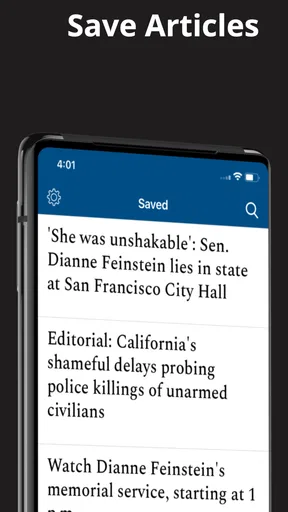
You may be able to open the app and read some content without creating an account, but an account can be required for personalized features, saving articles, managing subscriptions, or continuing to read beyond any free-access limit. A paid digital subscription may provide broader access to articles and other subscriber benefits. Before downloading, review the current subscription terms because account requirements and access rules can change.
Does the app support notifications and offline reading?
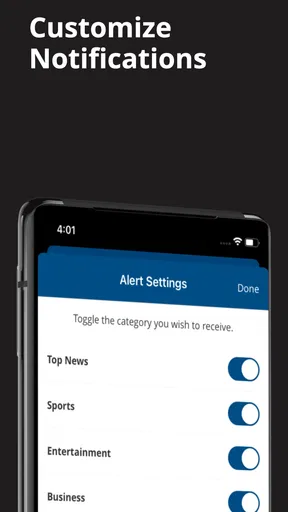
The Mercury News app may offer push notifications for breaking stories, important local developments, and other selected updates, depending on your device settings and the options provided by the publisher. Notification frequency can usually be controlled through the app or operating-system settings. Offline reading capabilities may be limited or unavailable for certain content, so users should not assume that every article can be downloaded for later use without an internet connection.
